Reusable components
Package several connected steps as one node, expose their parameters and reuse the same logic across a project or import an independent copy elsewhere.
Nodes and connections
Connect ports on the canvas or select an upstream output in the inspector. Each
input has one source; an output can feed many inputs. flow.json stores nodes
and edges by stable IDs. A normal node owns nodes/<node-id>.sql; a linked node
names a local template and a component instance a local component. An
optional origin records where normal code came from without linking it; an
optional preset keeps the palette icon and guided form but never selects
executable code. Edges use source, sourceHandle, target and targetHandle.
Drag a port onto empty canvas space to Add a connected node. Choose a compatible template/component and port to create and connect it in one save. Starting from an occupied input replaces its previous connection.
Group and open components
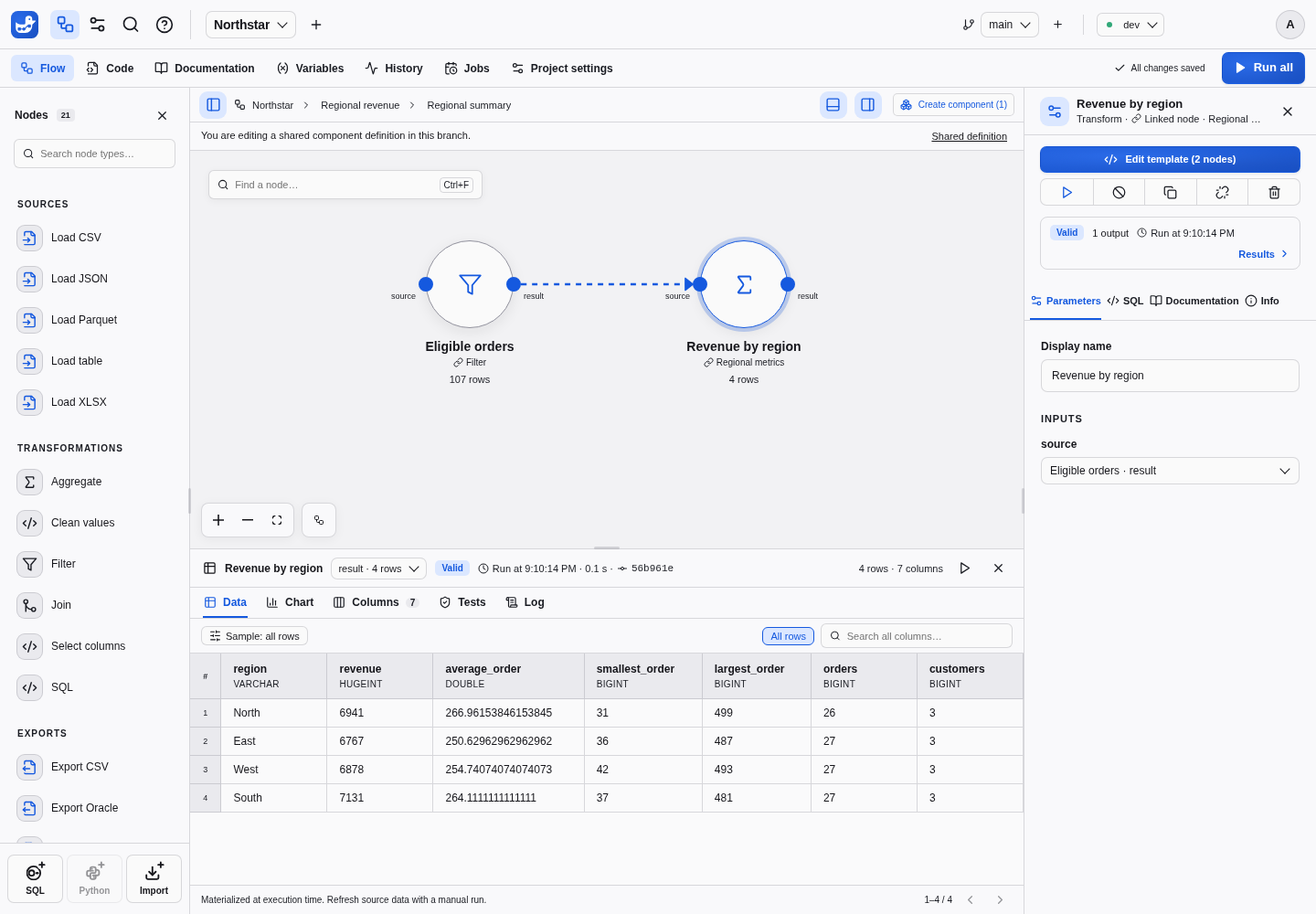
Select nodes using Shift, then choose Create component. Node-owned code moves to components/<component-id>/<node-id>.sql. Incoming and outgoing edges are preserved as named boundary ports; terminal outputs remain inspectable. Double-click the resulting node to open the sub-flow. Breadcrumbs identify the instance path. Definition edits affect every usage in this project branch, while parameters belong to the selected instance.
Expose parameters
Exposed component parameters have the following structure:
{
  "minimum": {
    "type": "number",
    "default": 100,
    "targets": [{"node": "filter_node", "param": "threshold"}]
  }
}
Import a component
The shared library reads projects’ main branches. Importing creates new destination-owned IDs for the component, nested components and templates. Node-owned SQL, definitions and documentation are copied; data, results and secrets are not. Imports never resolve executable code through the original project. Subsequent edits are independent.
See node code and linked templates for reusing a single SQL definition, or variables to configure an instance.