Environments
Run the same project against different connection settings and variable values. The environment selector in the top bar chooses the execution context; switching it never launches a run. Results are separate for each branch and environment.
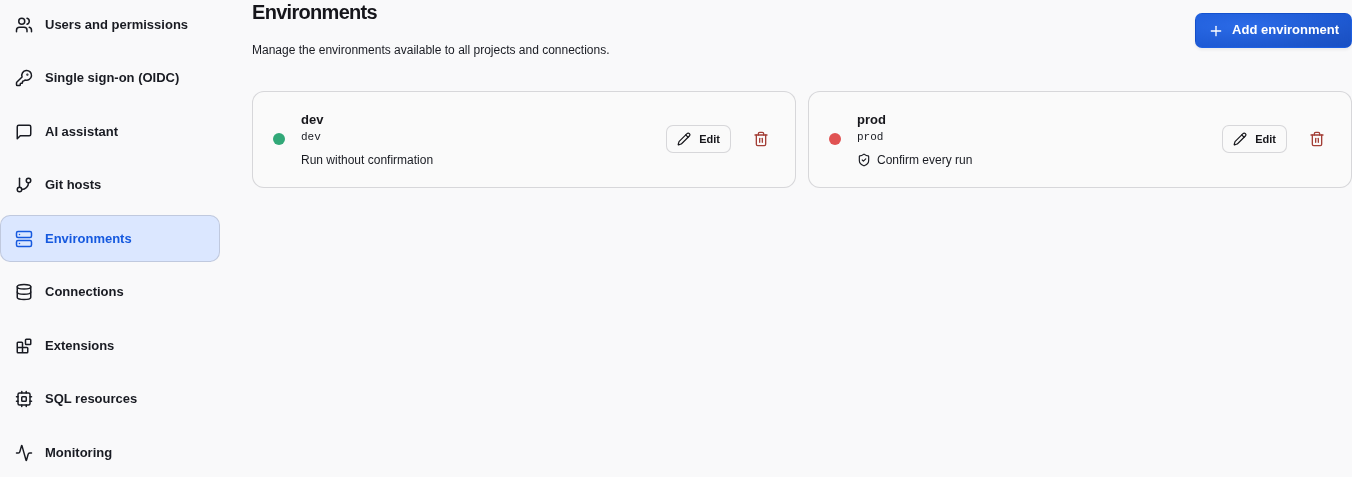
Instance admins manage environments in Instance settings → Environments.
Each has a stable identifier, an editable label, a color, and a Confirm every
run option. Fresh instances include dev without confirmation and prod with
confirmation enabled.
Labels and colors appear in the workspace selector and connection settings.
Changing them does not change project Git history or invalidate results.
New environments start with empty connection values. Configure them in Connections before running. Deleting an environment requires confirmation, removes its connection values and clears cached results, but preserves execution history. Active runs must finish or be stopped first. At least one environment must remain.
The confirmation option applies to workspace pipeline/node and browser Job launches; the server checks it too. API launches remain non-interactive. This is an execution safeguard, not a replacement for project permissions.
Project variables can override business values per environment. Connections hold resource settings and credentials outside Git.