Document a project
Write the project overview in Documentation. It edits README.md, also
available in Code. Switch between Edit and Markdown preview to see
formatted headings, lists, links and tables without losing the draft.
The full-width editor includes buttons for headings, bold, italic, links, lists,
quotes and code blocks. Select text before applying a format, or insert a
placeholder at the cursor. Use Ctrl/Cmd+B or Ctrl/Cmd+I for bold and italic.
Save changes is available in both edit and preview mode. Documentation is
versioned with the project.
The Generated project reference below the overview is read only. Expand a node to see its outputs, descriptions, columns, types and tests. Columns come from the latest retained results in the current environment, or from documented columns before a run. Stale schemas are marked; run an output to discover its schema. Python checks appear after they have executed.
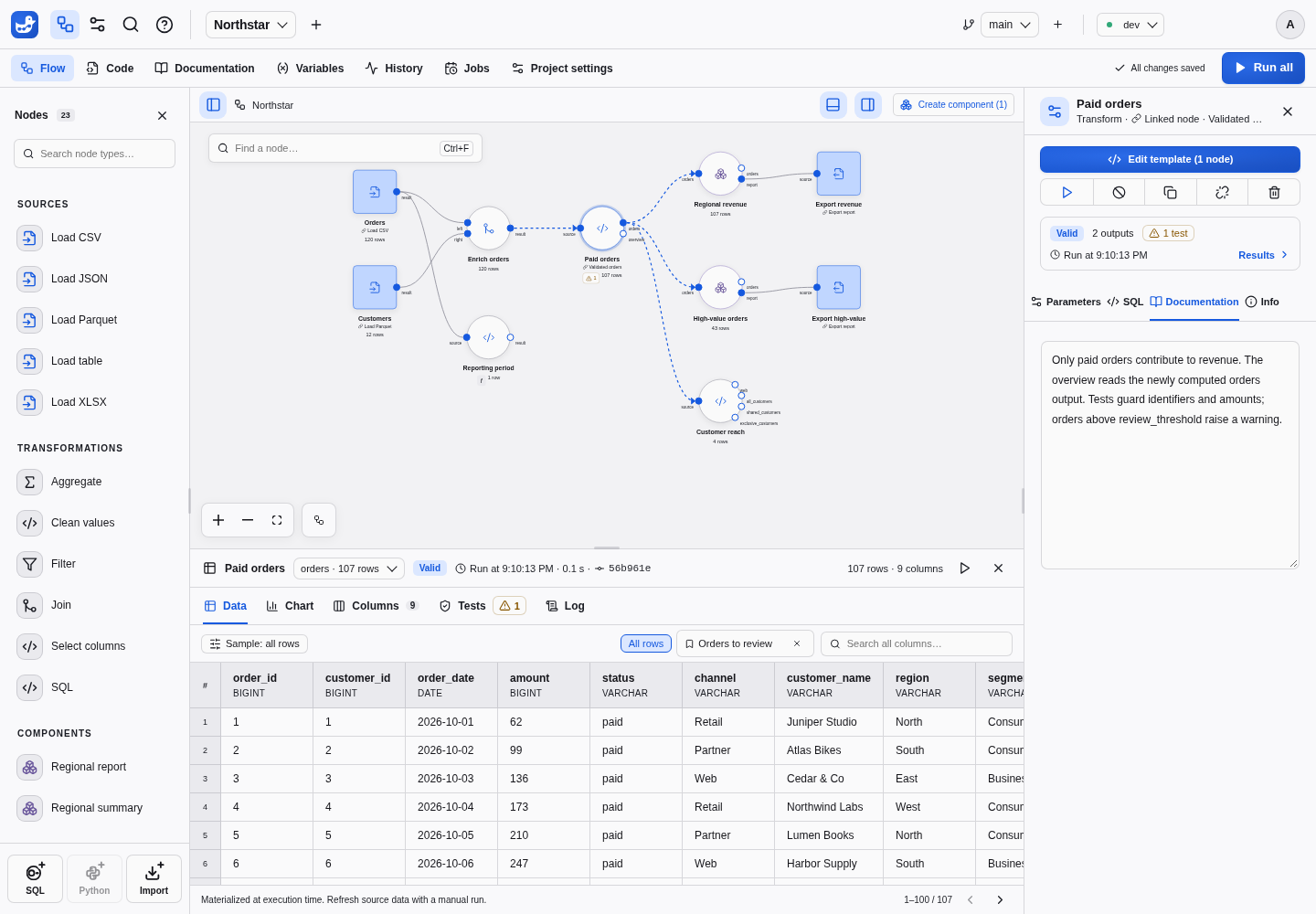
Describe a node in the inspector’s Documentation tab. Edit output and column
descriptions in Results → Columns, alongside the schema. These descriptions
live in documentation.json; component imports carry them to the destination.
A confirmed schema removal deletes the missing column’s description in a versioned save. Renamed columns start undocumented. Invalid SQL, failed runs and backend restarts do not delete descriptions. Earlier versions remain in Git history.